Request for Gurobi Academic License
AnsweredDear Gurobi Academic Support,
I’m a first-year PhD student in Robotics at Mohamed bin Zayed University of Artificial Intelligence (MBZUAI). I’m starting a research project on Franka robot manipulators and plan to develop and evaluate optimization algorithms using the Gurobi Optimizer.
I would be grateful if you could provide an academic license for non-commercial research use. I will use it solely for educational purposes in accordance with your terms.
-

-
Gurobi Staff
Hi Grik,
Please follow the instructions as described in the article “How do I obtain a free academic license?” to obtain a free academic license.
Best regards,
Maliheh
0 -
-

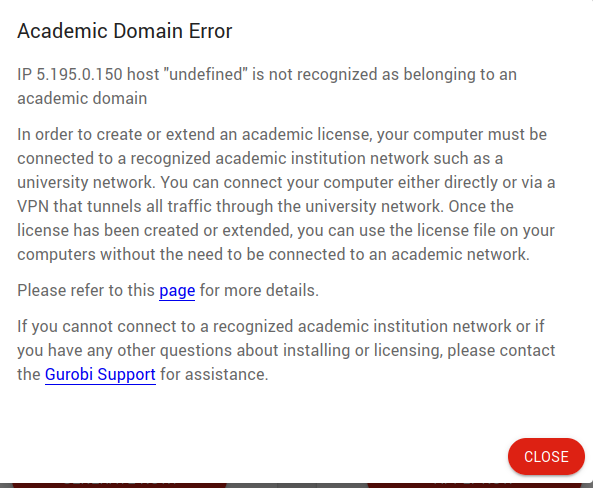
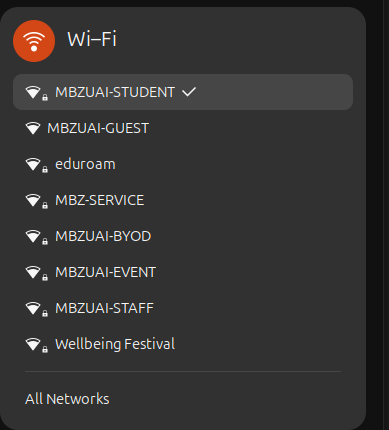
Dear Maliheh, I followed the instructions on your website, but I’m still encountering an error. I’ve attached screenshots that show the steps I took and the full error message.
Could you please advise on how to resolve this?
Best regards,
Grik
 0
0 -
-
-
Please submit a request to our Help Center describing the issue. Our license team would then help you.
To submit a request:
- Visit our Gurobi Help Center
- Click on the “Get Help" link in the top right corner of the webpage (you need to be logged in to your Gurobi Portal account)
- Look for the ticket icon at the bottom right of the chat response
- Click on the icon to “Create a support request”
- Fill out the form with details about your issue, and we will get back to you as soon as possible
Thanks,
Maliheh
0 -
-
Dear Maliheh, I’ve submitted the support request ticket. Thank you very much for your help!
Best regards,
Grik
0 -
Please sign in to leave a comment.
Comments
4 comments