How to handle the problem that the output stop printing while using Pycharm?
Answered
I got the license before I ran the code. However, while the code is running, I changed my IP through VPN and then changed back to the original IP. After that I find that the generation of the output in terminal is stopped. I have already run for a long time and didn't store the mid-term parameters. What can I do?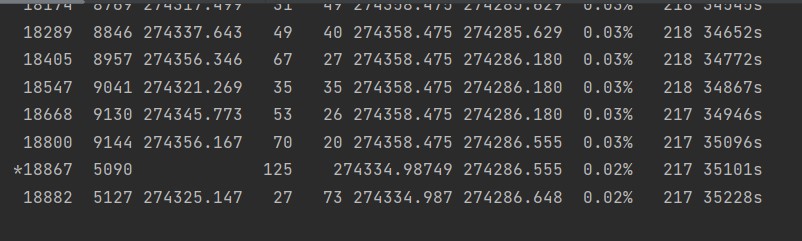
-
Official comment

-
Gurobi Staff
This post is more than two years old. Some information may not be up to date. For current information, please check the Gurobi Documentation or Knowledge Base. If you need more help, please create a new post in the community forum, or try Gurobot, our chatbot interface offering instant, expert-level support. -
-

-
Your academic license is already installed on your laptop. To use the license, you do not need to be connected to the internet. You can use the license offline. Therefore, being connected to VPN or not is not relevant after the installation of the license.
I have already run for a long time and didn't store the mid-term parameters. What can I do?
Did you set the LogFile parameter before running the model? If so, you can check the Gurobi log file saved in the same directory as you were running your application.
If not and the solver is interrupted for any reason, you would need to run the model again.Best regards,
Maliheh
0 -
Post is closed for comments.
Comments
2 comments